
Speechify Pricing & Plans 2026: Which Plan Is Right for You?
A plain-English buying guide for everyday users choosing an AI voice tool: what Speechify does, what each plan costs in 2026, and which one fits how you

Disclosure: Some links on this page are affiliate links. We may earn a commission if you purchase through them — at no extra cost to you.
A plain-English buying guide to what Speechify costs in 2026, what each plan includes, and which one fits how you actually read.
Short answer: Speechify Premium costs $29/mo per year (about $11.58 a month) billed annually, or $29 per month if you pay monthly. The Free plan is genuinely free at $0. Anyone who listens daily should take annual Premium, because paying monthly costs close to three times as much over 12 months. If your goal is to produce voiceovers instead of listening to your own reading, that is Speechify Studio, a separate subscription from $100 a year.
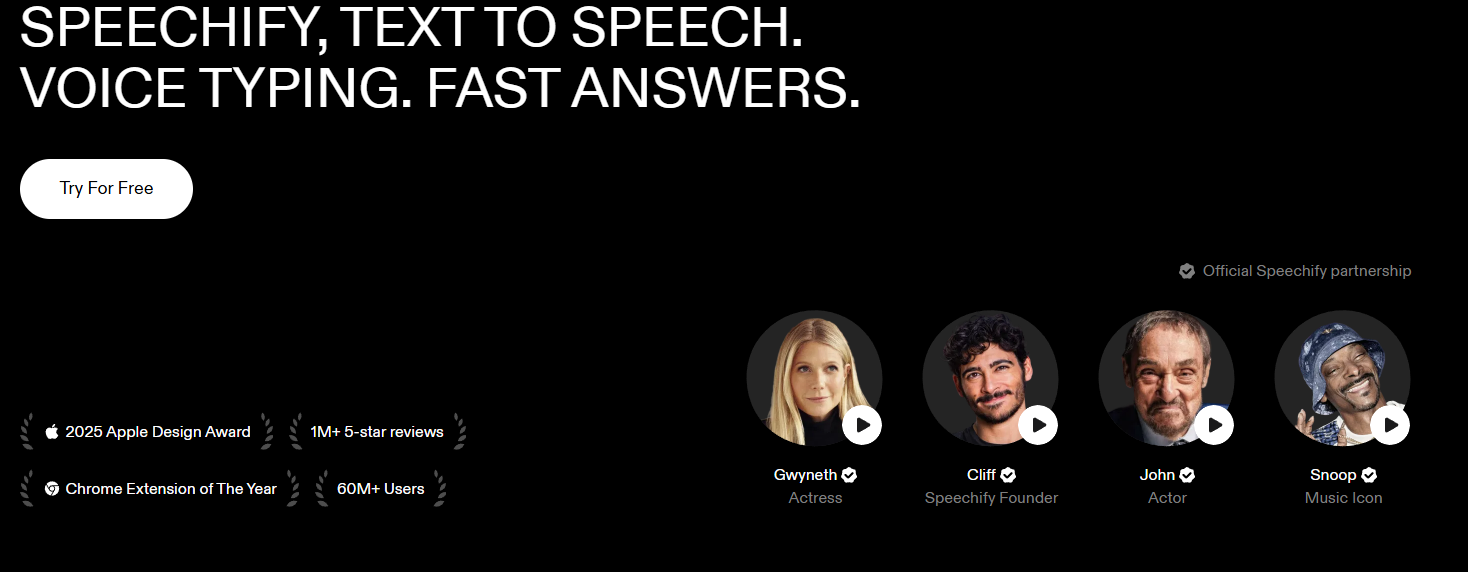
Table of Contents
1. Quick Answer: Pick by Who You Are
Match yourself to a row, then read the detail below.
| Who you are | Best plan | What you’ll do with it |
|---|---|---|
| Curious, wants to test text-to-speech for free | Free ($0) | Listen to articles and PDFs in 10 basic voices at up to 1.5x; try voice typing. |
| Student, daily reader, commuter, professional with heavy PDFs | Premium (annual, $139/yr) | Listen in 1,000+ natural voices at up to 4.5x, scan printed books, get AI summaries, draft by voice, generate podcasts. |
| Content creator or marketer who needs finished voiceovers | Speechify Studio (from $100/yr) | Clone voices, produce narrations, ads, and dubbing with commercial rights. |
| Developer or product team | SpeechifyAI API (free tier, then from $10/mo) | Build text-to-speech and voice cloning into your own app. |
| School, district, or company buying for many people | Teams / Education | Bulk seats, accessibility programs, centralized billing. |
2. What Speechify Actually Does
Speechify is a Voice AI assistant that reads text aloud. It handles PDFs, web pages, Google Docs, and printed pages you photograph with your phone, reading them in 1,000+ voices across 60+ languages. On top of listening, the same account includes voice typing, a voice assistant that answers questions about whatever you’re reading, AI meeting notes, and one-click AI podcasts that turn a document into a two-host conversation in about a minute.
Speechify reports 60M+ users and more than 1 million five-star reviews. Apple named it a 2025 Apple Design Award winner in the Inclusivity category, announcing the award on June 3, 2025, ahead of WWDC.
3. Full Feature List
| # | Core feature | What it does |
|---|---|---|
| 1 | Text to Speech (TTS) | Turns any text into lifelike audio. 1,000+ voices, 60+ languages, sentence highlighting, playback up to 4.5x on Premium (Speechify’s pricing page advertises 5x). |
| 2 | Scan & Listen (OCR) | Photograph a printed page or book and Speechify reads it back. Premium only. |
| 3 | Voice Typing | Dictate instead of typing, with automatic grammar and filler-word cleanup. Speechify’s dictation page says it runs roughly 3–4x faster than typing; the pricing page claims 5x. Free to use today, with Speechify noting that could change. |
| 4 | Voice AI Assistant | Ask questions and get summaries or explanations about the page or document in front of you. |
| 5 | AI Meeting Notes | Generates meeting summaries and key points, and lets you ask follow-ups about the call. |
| 6 | AI Podcasts | Turns an article, paper, or book chapter into a two-host audio conversation, generated in roughly a minute. |
| 7 | Voice library & cloning | Premium unlocks the 1,000+ voice library, including licensed celebrity narrators (Gwyneth Paltrow, Snoop Dogg, MrBeast). Cloning a voice yourself is a Studio or API feature and requires the speaker’s consent. |
| 8 | Cross-platform & sync | Web app, Chrome extension, Edge extension, iOS, Android, Mac, and Windows, with cloud sync across all of them and offline downloads on Premium. |
| 9 | Cloud integrations | Import from Google Drive, Dropbox, and Microsoft OneDrive. Premium only. |
| 10 | Developer API (SpeechifyAI Build) | Streaming text-to-speech and zero-shot voice cloning on one key. Up to 20,000 characters per request, SSML prosody, 13 emotion styles, word-level timestamps, 1,500+ voices across 30+ languages, and first-byte latency under 300 ms on the Simba 3.2 model. |
4. Pricing Plans Compared
| Plan | Price (US, list) | What you get |
|---|---|---|
| Free | $0 | 10 basic (Speechify’s own wording: “robotic sounding”) voices, playback up to 1.5x, text-to-speech features only, listen anywhere, voice typing included. |
| Premium (monthly) | $29 / month | 1,000+ natural voices, 60+ languages, high-speed playback, Scan & Listen, AI Summaries & Chats, Google Drive / Dropbox / OneDrive integrations, voice typing, AI Podcasts, Voice Chat, AI Meeting Notes, offline downloads. |
| Premium (annual) | $139 / year (about $11.58/mo, ~60% off monthly) | Same feature set as monthly, billed once a year. |
| Speechify Studio | Free $0; Starter $100 / year; Creator $300 / year; Enterprise on request | Free: 600 credits, 1,000+ voices, Voiceover / Dubbing / Voice Changer, no cloning and no commercial rights. Starter: 86,400 credits a year, adds voice cloning, stock media, and commercial usage rights. Creator: 345,600 credits a year, everything in Starter. |
| SpeechifyAI API | Free $0; Starter $10 / mo; Pro $99 / mo; Scale $499 / mo; Enterprise custom | One balance covering text-to-speech and voice agents. Free: 50,000 characters and 60 agent minutes a month, hard cap, commercial use allowed. Starter: 1M characters, then $10 per extra million. Pro: 3M characters, then $8 per extra million. Scale: 10M characters, then $6 per extra million. |
| Teams / Education | Custom, contact sales | Bulk seats for schools, districts, and companies, with centralized admin and billing. |
Two caveats before you buy. First, Speechify’s own pages do not fully agree on top playback speed: the pricing page says “listen at 5x faster speeds,” while the homepage and Speechify’s student guide both say 4.5x. Plan around 4.5x and treat 5x as the marketing ceiling. Second, $139 a year is the figure on Speechify’s US pricing and student pages, but localized Speechify pages have quoted other annual numbers ($159 billed through Apple or the web, $99.99 through Google Play in some regions), and Speechify reserves the right to change prices with 30 days’ notice. Always confirm the final number on the checkout screen.
5. Speechify vs. the Free Reader Already on Your Device
Every current operating system ships some version of read-aloud: Spoken Content on iOS, Select-to-Speak on Android, ChromeVox on Chromebooks, Narrator on Windows. They cost nothing and they handle short passages fine. Speechify earns its price at volume. This comparison comes from Speechify’s own student guide.
| Capability | Built-in OS read-aloud | Speechify |
|---|---|---|
| Free to use | Yes | Yes (free tier) |
| Voice quality | OS synthetic voices | 200+ to 1,000+ natural AI voices across 60+ languages |
| Playback speed | Typically capped around 2x | Up to 4.5x on Premium, 1.5x on Free |
| Word highlighting synced to voice | Basic on some platforms | Yes, sentence and word level |
| Scan a printed page | Limited or unavailable | Full OCR support (Premium) |
| Read a PDF or Google Doc reliably | Inconsistent | Yes, native support |
| Cross-device sync of documents and progress | No | Yes |
| Offline listening | Limited | Yes on mobile (Premium) |
| Positioned as an IEP / 504 accommodation | Basic | Purpose-built for accessibility use |
The honest read: if you listen to one article a week, your phone’s built-in reader is enough. If you are getting through hundreds of pages a week, the voice quality, OCR, and sync start to pay for themselves.
6. Plan-by-Persona: Who Should Pick What
Free: testers and occasional listeners
Who it fits: Anyone who wants to try text-to-speech before spending, or who listens to an article now and then.
What you can do: Listen to PDFs, web pages, and documents in 10 built-in voices at up to 1.5x, on any device, plus dictation through voice typing. Speechify describes the free voices as “robotic sounding,” which is fair. Free is a working demo, not a daily driver.
Premium: daily readers, students, commuters, professionals
Who it fits: People who read by ear. Students working through course packs, commuters, professionals buried in PDFs and reports, and readers with dyslexia, ADHD, or low vision who take in more from audio than from a page.
What you can do: Listen in 1,000+ natural voices at up to 4.5x, photograph a printed page and hear it back through Scan & Listen, get AI summaries and ask questions about what you’re reading, dictate emails and notes, generate a podcast from any document, capture AI meeting notes, and sync everything across devices with offline downloads.
Speechify Studio: creators producing finished audio
Who it fits: Creators, marketers, and video producers making audio that other people will hear: ads, narration, dubbing.
What you can do: Clone voices with consent, produce voiceovers, dub video into other languages, and work against an annual credit allowance. The free tier gives you 600 credits but withholds cloning and commercial rights, so anyone publishing paid work needs Starter ($100/year) or Creator ($300/year). This is a different job from listening to your own reading. If you only want to listen, buy Premium.
SpeechifyAI API: developers and product teams
Who it fits: Engineers adding voice to a product, whether that is narration, agents, captions, IVR, or dubbing.
What you can do: One REST API for text-to-speech and voice cloning, with streaming, SSML, 13 emotion styles, and word-level timestamps. The free tier covers 50,000 characters a month with commercial use included and a hard cap, so you cannot accidentally overspend. Paid plans start at $10 a month for 1 million characters, and the $499 Scale tier drops the overage rate to $6 per million characters. Speechify bills both text-to-speech and voice agents to a single prepaid balance rather than metered credits.
Teams / Education: buying for a group
Who it fits: Schools, districts, universities, and companies rolling Speechify out to classrooms or teams, often as a documented accessibility accommodation.
What you can do: License seats in bulk with centralized admin and billing. Speechify works with large districts and governments on institutional pricing, and institutions such as Fordham University have provided campus-wide access to more than 15,000 students.
7. Student & Education Offers
Verified students get 25% off Premium through UNiDAYS, with Student Beans running similar offers. That brings annual billing to roughly $100. Speechify confirms both the standard price and the student discount in its own student FAQ.
In the US, K-12 students can qualify for Premium at no cost through Speechify’s education program with academic verification. Speechify does not publish the application mechanics on that page, so treat the grant as something to ask the education team about rather than a guaranteed instant approval. College students should use the UNiDAYS or Student Beans discount instead. Schools and districts can license Speechify centrally for whole classrooms through a custom institutional quote.
8. How to Try Safely & Cancel
The trial rolls into a paid plan automatically, so set a reminder before you start.
- Free trial: Speechify’s terms define the trial as three days unless signup states a different period. Cancel before it ends or you are charged at the then-current price.
- Billing: Annual Premium is charged once upfront at $139, not spread across 12 months. Monthly billing exists at $29 a month, which totals close to three times the annual rate over a year.
- Refunds: The window is tight. Annual subscriptions are refundable only within 7 days of the subscription date, and only if you have used no more than 500 HD words. Monthly, quarterly, and discounted plans are non-refundable, and Speechify does not issue partial refunds. Studio subscriptions follow the same 7-day rule but with a 2-minute usage cap, and Studio top-up purchases are final.
- App Store and Google Play: Purchases made through Apple or Google are final sale. Speechify cannot refund them, and cancellation and any refund request run entirely through Apple or Google.
- Cancellation: Cancel through the same channel you used to subscribe: Speechify account settings, your Apple account settings, or your Google account settings. You keep access until the end of the period you paid for.
9. Verdict & Recommendation
Buy Premium on the annual plan if you read a lot, prefer listening, or have a reading difference such as dyslexia or ADHD. At $139 a year, the 1,000+ voice library, high-speed playback, OCR scanning, and cross-device sync beat anything your operating system gives you for free, and the cost is reasonable for something you use daily.
Stay on the free plan if you only occasionally want something read aloud. Spoken Content, Select-to-Speak, and Narrator handle that fine at zero cost, and voice typing is free on Speechify either way.
Look elsewhere if you want to produce voiceovers at scale. Buy Speechify Studio for that, or compare it against a dedicated voiceover platform before committing, since the credit math matters more than the sticker price.
10. FAQ
Is Speechify’s free plan really free?
Yes. No credit card is required, it never auto-converts to paid, and you can stay on it indefinitely. The limits are 10 basic voices, playback capped at 1.5x, and text-to-speech features only. Voice typing is included on the free plan today, though Speechify notes that could change.
How much does Speechify Premium cost in 2026?
List price is $29 per month or $139 per year (about $11.58 a month), with the annual toggle marked “SAVE 60%.” Monthly billing costs close to three times the annual rate over 12 months. Confirm the final figure at checkout, because localized Speechify pages have quoted other annual amounts and billing through Apple or Google Play can differ.
What is the difference between Speechify Premium and Speechify Studio?
Premium is for listening to your own reading: natural voices, fast playback, Scan & Listen, AI summaries, meeting notes. Studio is for producing audio other people hear, such as voiceovers, dubbing, and cloned voices with commercial usage rights. They are two separate subscriptions with separate pricing, and buying one does not include the other.
Can I use Speechify offline?
Premium subscribers can download converted audio and listen with no connection. The free plan does not include offline downloads. Voice typing is a separate case: it ships with an on-device model, so dictation works offline and falls back to on-device transcription if your connection drops.
Do students get a discount or free access?
Verified students get 25% off Premium through UNiDAYS or Student Beans, which puts annual billing near $100. In the US, K-12 students can qualify for Premium at no cost through Speechify’s education program once academic verification is complete. Schools and districts buy through a custom institutional quote.
How do refunds work if I change my mind?
Annual plans are refundable only if you contact Speechify within 7 days of the subscription date and have used no more than 500 HD words. Monthly, quarterly, and discounted plans are non-refundable, and partial refunds are not offered. Purchases through Apple’s App Store or Google Play are final and must be handled with Apple or Google directly.
Is Speechify good for dyslexia and ADHD?
Yes, and it is one of the better-documented options. Apple gave Speechify a 2025 Apple Design Award in the Inclusivity category, citing its support for people with dyslexia, ADHD, and low vision. Speech-synchronized highlighting helps with tracking and retention, and text-to-speech is a standard accommodation in many US IEP and 504 plans, which means a school may cover it.
How fast can Speechify actually read?
Premium plays back at up to about 4.5x, with Speechify’s pricing page advertising 5x. Expect real-world listening somewhere in the 2.5x to 3x range once you adjust, which is where most long-term users settle. The free plan tops out at 1.5x.
Sources
- Speechify Pricing — Free and Premium plan features, $29/month, SAVE 60% toggle
- Speechify Studio Pricing — Free / Starter / Creator plans and credit allowances
- SpeechifyAI API Pricing — Free, Starter, Pro, Scale, Enterprise tiers and overage rates
- SpeechifyAI Build — streaming limit, SSML, 13 emotion styles, speech marks, Simba models
- Speechify Homepage — 60M+ users, 1,000+ voices, 60+ languages, Edge extension, offline listening
- Speechify: Is Speechify free for students? — $139/year, 25% student discount, K-12 program, OS reader comparison
- Speechify Voice Typing — free availability, 3–4x dictation speed, offline dictation
- Speechify Refund Policy — 7-day window, 500 HD words, non-refundable plan types
- Speechify Terms & Conditions — three-day trial definition, cancellation by purchase channel
- Apple Newsroom: 2025 Apple Design Awards — Speechify, Inclusivity winner
Disclosure: Some links on this page are affiliate links. We may earn a commission if you purchase through them — at no extra cost to you.
Was this review helpful?
Thanks for your feedback!