
Captions vs the Field: A Buyer’s Guide to Picking an AI Video SaaS
If you are comparing AI video tools and wondering whether Captions earns a place in your stack, this guide gives a clear, sourced answer — what it does

Disclosure: Some links on this page are affiliate links. We may earn a commission if you purchase through them — at no extra cost to you.
If you are comparing AI video tools and wondering whether Captions earns a place in your stack, this guide gives a clear, sourced answer — what it does best, where it slips, what it costs in practice, and how it lines up against HeyGen, CapCut, and Submagic.
1. How to Choose an AI Video SaaS
Before you weigh feature lists, pin down four things. They decide whether Captions is even the right shape of tool.
Where you film and finish. Phone or desktop? Captions is built around the phone. What you publish. Short vertical talking-head clips, long-form, or paid ad variants? Edit or generate? Do you need avatars and dubbing, or just fast captioning? Budget and tolerance for credit-based pricing. Captions charges a subscription and meters AI features by credits.
Captions fits one workflow tightly: shoot or upload on a phone, let AI edit, post. If your work is desktop-heavy or campaign-scale, read the rest before you commit.
2. Captions at a Glance
Captions is a mobile-first AI video editor and generator that turns talking-head footage into finished, captioned, vertical-ready clips — and can produce avatar videos with no camera at all. The company started in 2021 in New York, rebranded to Mirage in September 2025 as an AI video research lab, and runs Captions as its flagship app.
The core loop is simple: record or upload → AI Edit → captions, B-roll, music, transitions → export to TikTok, Instagram Reels, or YouTube Shorts. According to the company, it serves 20M+ users, supports 100+ languages, and ships 100+ caption styles, across iOS, Android, web, and desktop.
3. Standout Strengths
AI Edit does the editing job for you
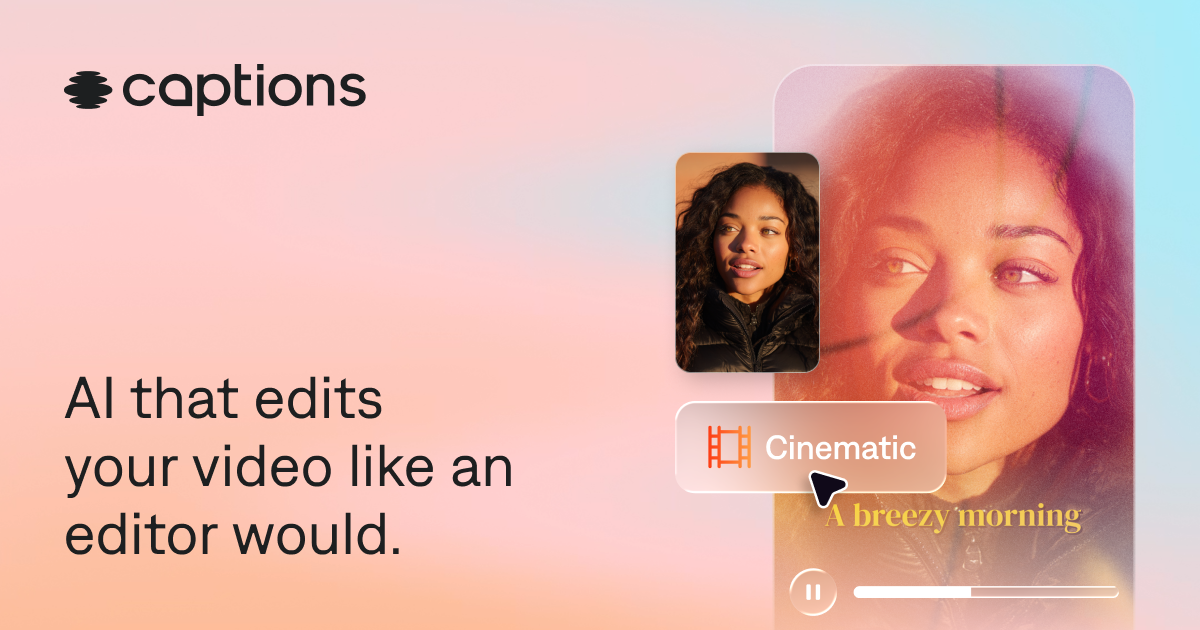
This is the headline. Upload raw talking footage, pick a style, and Captions cuts scenes, adds zooms, overlays B-roll, drops in music and transitions, and applies styled captions — automatically. Chat to Edit then lets you refine the result with plain-language prompts instead of scrubbing a timeline. For talking-head content it genuinely works; for complex narrative edits you will still fine-tune by hand.




AI Edit style presets (source: captions.ai/features/automatic-video-editor).
Captions that actually read well
Auto-captions cover 100+ languages with 100+ styles, and they are burned into the video (open captions) so they look identical on every platform. Independent reviews put clear-English accuracy at 95%–99%, and the word-by-word “karaoke” highlight has become a recognizable short-form look.
Mirage Avatar X — avatars that perform
Most “AI avatars” are a photo with a lip-sync overlay. Captions’ in-house Mirage Avatar X model generates voice, expression, and body language together as one performance. The library holds 225+ stock avatars, and you can build a personal AI Twin from a short clip — useful when you would rather not be on camera.
The fix-it utilities
Eye-contact correction, background denoise, and silence/filler-word trimming are the quiet winners. They rescue imperfect footage without a reshoot, which is why many daily creators keep the app installed.
4. Where It Falls Short
Credit pricing is opaque. Generative features — AI Edit styles, avatars, dubbing — burn credits per use, and Captions does not publish a per-feature rate. A creator using AI daily can slide from $24.99 toward $69.99+/mo faster than expected.
Web and Android lag. The desktop/web editor is widely reported as slower and buggier than mobile; Android is a degraded port with feature lag, audio-sync drift, and more crashes. If you are not on a recent iPhone, the value math changes.
Not an ad pipeline. Captions edits or generates a clip, but it does not ingest a product URL, write ad copy, or run a publish-and-learn loop. Teams needing campaign-scale variant production should treat it as the editor, not the whole stack.
Support and billing friction. Trustpilot and App Store reviews cluster on refund delays, cancellation friction, and export-time paywalls. Non-English and long-form work is weaker: dubbing accuracy drops outside English, and avatar clips can still read as synthetic for longer or brand-critical videos.
5. Pricing Tiers, Decoded
Figures below are USD, reflect iOS plans, and were verified against the official pricing page and help center in July 2026. Annual billing carries a discount, but Captions does not publish the annual rates.
Unused credits roll over up to 3× your monthly allowance. The practical takeaway: start at Basic for captions and correction, move to Max when you actually use AI Edit and an AI Twin weekly.
6. Captions vs the Alternatives
These boundaries come from independent reviews, not marketing.
- HeyGen — the specialist for deep, multilingual talking-head avatars at volume. Captions is the faster generalist (ad·stack; Recatools).
- CapCut — a broader, largely free editing toolkit. Captions wins on caption accuracy and the mobile AI workflow (Creator Economy Tools).
- Submagic — best-in-class desktop caption styling and templates. Captions adds avatars and dubbing Submagic does not (Creator Tribune).
Pick Captions when your job is a fast mobile talking-head edit-to-post. Pick the others when you need desktop control, pure avatar depth, or template polish.
7. Reputation & Scale
Official claims: 20M+ users, 100+ languages, 100+ caption styles. App Store: 4.7/5 across roughly 36K ratings (Mar 2026). Trustpilot: about 4/5 across 253 reviews, with negatives concentrated on billing and support.
An independent sentiment study (Marlvel, 2026) recorded a 4.74/5 historical score but a “Frustrated” recent mood — the AI utility wins, trust suffers from paywall and cancellation friction. On funding, public reports cite a $75M raise in March 2026, about $175M total, a ~$500M valuation, with backers including a16z, Sequoia, Index Ventures, and Adobe Ventures.
8. Who Should (and Shouldn’t) Buy
Buy if: you film and finish on iPhone; you publish short vertical talking-head content weekly; you want captions + AI Edit + dubbing + a digital twin in one app; your budget is around $9.99–$24.99/mo.
Don’t buy if: you edit mainly on desktop; you are Android-primary and need feature parity; you run campaign-scale variant production; you need a stable non-AI workflow; or you rely on a publish-and-learn ad loop.
9. Verdict & Quick Start
For iPhone-first creators who record themselves, Captions is the best value in the category. Start at Basic $9.9 for correction and captions; move to Max $9.9 when you want AI Edit styles and an AI Twin. Treat it as the editor inside your stack, not the whole stack.
Quick start: sign up free, test the free tier thoroughly, watch the credit counter on AI features, and decide your platform before your plan. The Android Lite tier exists for a reason — use it knowingly.
Disclosure: Some links on this page are affiliate links. We may earn a commission if you purchase through them — at no extra cost to you.
Was this review helpful?
Thanks for your feedback!